FiveM HUD
FiveM HUD for ESX, QBCore and Qbox
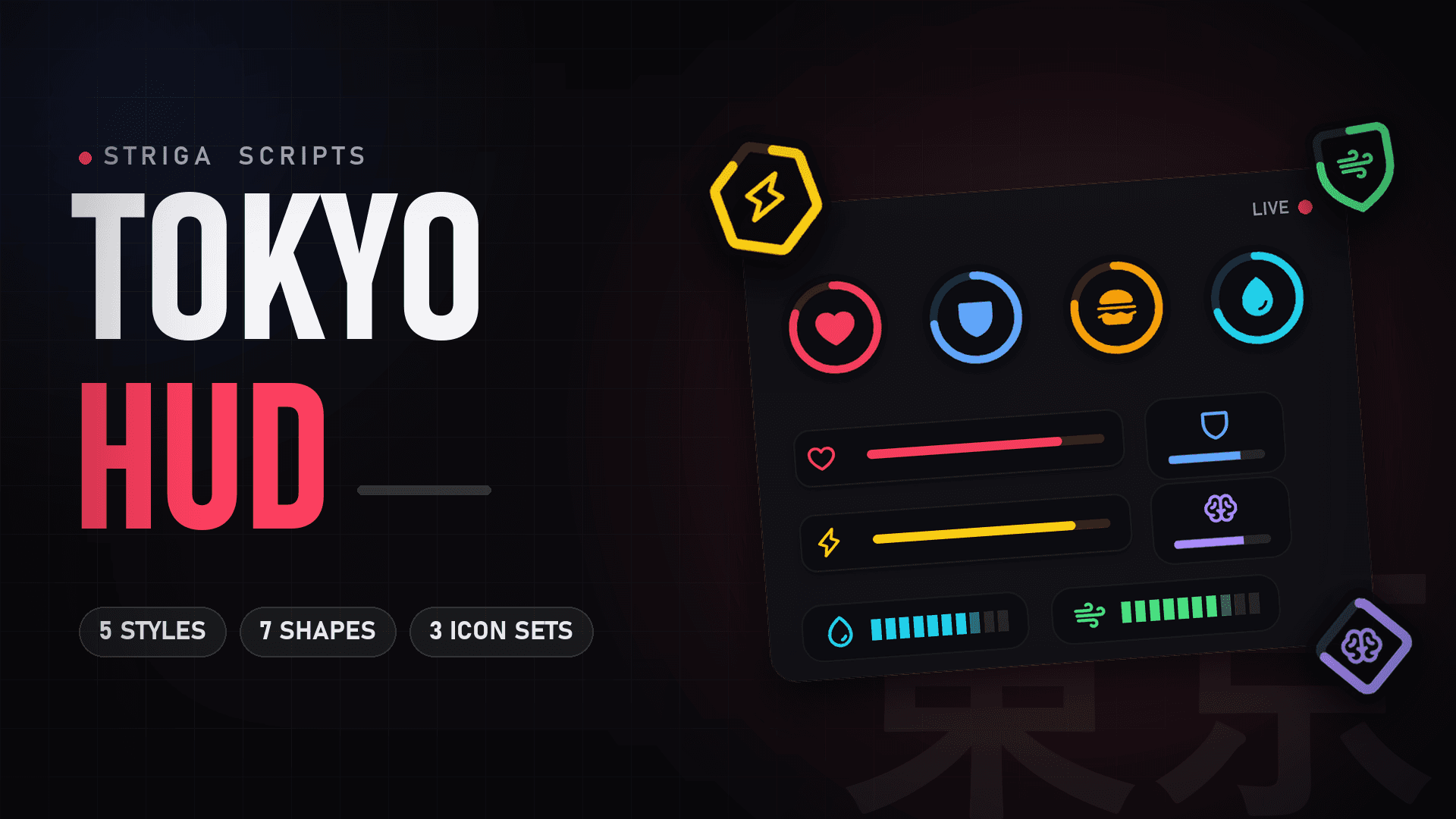
Tokyo HUD is the status HUD by striga scripts.: health, armor, hunger, thirst and more, plus a vehicle HUD, compass and minimap. Every player edits their own layout in game with /hud.
FiveM HUD
Tokyo HUD
A modern, minimal and fully customizable status HUD for your FiveM server. Clean on screen, easy on the eyes and built to match any server style.
- QBCore
- Qbox
- ESX
Features
What the HUD does.
Players change their own HUD in game. Server defaults and texts live in the open editable/ folder.
- Every status
- Health, armor, hunger, thirst, stamina, oxygen, stress (optional) and a voice indicator.
- In-game layout editor
- Players open /hud or F9, press Edit HUD, then drag, group and restyle their own parts. Changes save by themselves.
- Styles and shapes
- 5 display styles (ring, fill, bar, plate, segment), 7 shapes, 3 icon sets and 2 color tones.
- On foot and in vehicle
- Two layouts per player: one on foot and one in a vehicle.
- Vehicle HUD
- Speed, rpm, gear, fuel, seatbelt, indicators, cruise and nitro. Boats, helicopters and planes too.
- Compass and minimap
- A compass with the street name, and a rounded or circle minimap with a frame in 3 positions.
- Info panel
- Server name, player ID, character, cash, bank, weapon and ammo.
- Share codes
- strg-XXXXXX codes copy a full HUD look to a friend.
- Cinematic mode
- Hides the HUD and radar and adds black bars.
- 11 languages
- en, tr, de, es, fr, ar, pt, ru, pl, it and nl. Arabic runs right to left.
Compatibility
QBCore, Qbox and ESX.
striga-core finds your framework by itself. No framework at all works too (standalone mode).
| Framework | Core resource | Replaces |
|---|---|---|
| QBCore | qb-core | qb-hud |
| Qbox | qbx_core | qbx_hud |
| ESX | es_extended | esx_hud |
Requirements
- striga-core 0.1.0 or newer, started before the HUD
- ox_lib and oxmysql
- QBCore, Qbox, ESX or standalone
Works with
- Voice: pma-voice. The microphone part turns on by itself.
- Fuel: ox_fuel, LegacyFuel, cdn-fuel, ps-fuel, qb-fuel and lc_fuel work out of the box. Without one, GTA's own fuel level is used.
- Seatbelt: qb-smallresources or qbx_seatbelt. Without them, the HUD uses its own seatbelt.
Install
From checkout to server.
- 01
Buy and log in with Cfx.re
Checkout runs on Tebex. Log in with the Cfx.re account that owns your server's license key: the HUD is added to that account. - 02
Download from Granted Assets
Open the Cfx.re Portal, go to Assets > Granted Assets and press Download. You get a .zip file. Open Granted Assets (opens in a new tab) - 03
Add the resources
Put the striga-tokyo-hud and striga-core folders in your resources folder and keep the folder names. Stop and remove qb-hud, qbx_hud or esx_hud. - 04
Start it in server.cfg
Start striga-core after ox_lib, oxmysql and your framework, then the HUD. Restart the server: the database tables are made by themselves, there is no SQL to import.ensure oxmysql ensure ox_lib ensure qb-core # or qbx_core / es_extended ensure striga-core ensure pma-voice # optional, for the microphone ensure striga-tokyo-hud
FAQ
HUD questions.
Which frameworks does Tokyo HUD support?
QBCore, Qbox and ESX. striga-core detects the framework by itself (it checks qbx_core, then qb-core, then es_extended). Without a framework the HUD runs in standalone mode.
Can I run it next to qb-hud, qbx_hud or esx_hud?
No. Tokyo HUD uses the same stress and needs events as qb-hud, so with both running stress goes up twice and two HUDs fight on screen. Remove the old HUD first.
Do players need to edit config files to change the HUD?
No. Players open /hud (or F9), press Edit HUD and move, group and restyle their own parts. Everything saves by itself. Server owners set the defaults in editable/config.lua.
How is Tokyo HUD delivered?
After checkout on Tebex it is added to the Cfx.re account you logged in with. Download it from the Cfx.re Portal under Assets > Granted Assets.
Is the code encrypted?
The resource uses FiveM Asset Escrow. The editable/ folder with config.lua and the language files ships open, so you can change settings and texts.
Does the fuel gauge work with my fuel script?
ox_fuel, LegacyFuel, cdn-fuel, ps-fuel, qb-fuel and lc_fuel work out of the box. Other fuel scripts can be added to fuel.resources in striga-core/config.json. Without a fuel script, GTA's own fuel level is used.
More scripts
Works with the rest of the suite.
Striga scripts with player settings show them in the /hud menu and follow the HUD theme color.