About

About striga scripts.

striga scripts. makes FiveM scripts for ESX, QBCore and Qbox. Every script shares one design, one theme color and one settings menu, and runs on one base resource: striga-core.

What we build

The scripts.
Multicharacter + Spawn Selector

Multicharacter + Spawn Selector

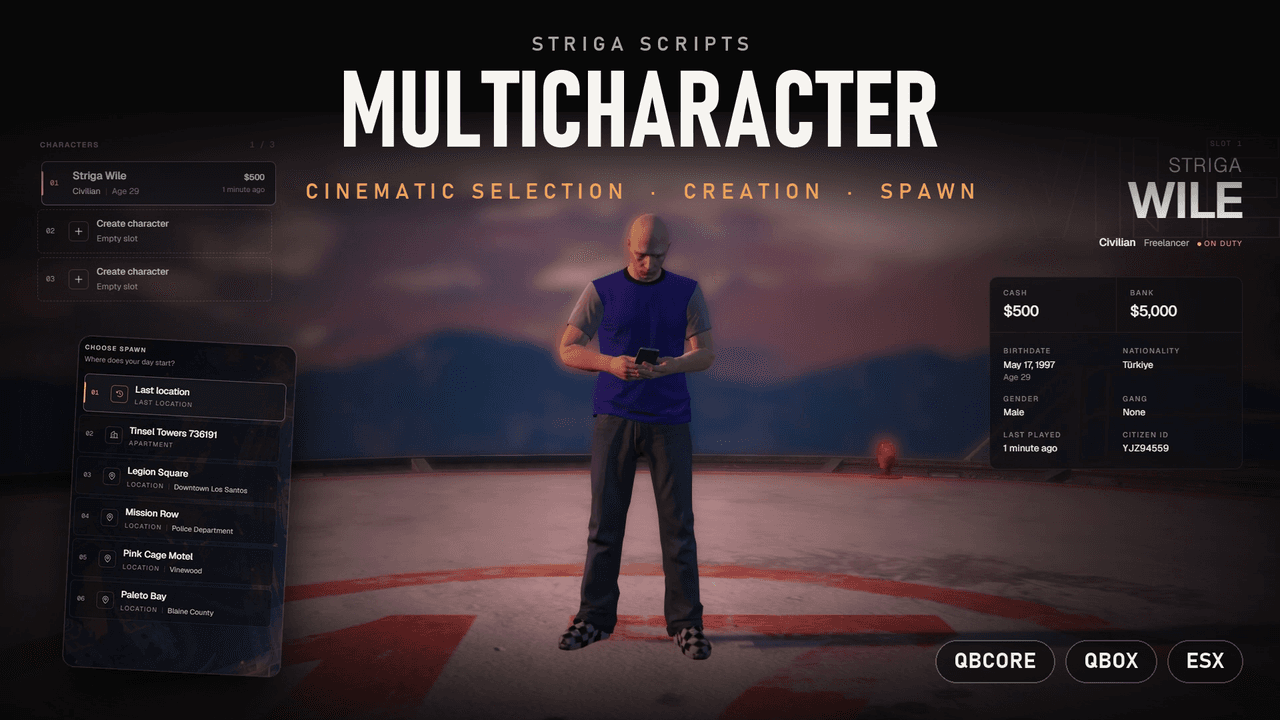
Cinematic character selection, creation and spawn for your FiveM server. Works with QBCore, Qbox and ESX, built to make the first seconds on your server feel like a movie. CINEMATIC CAMERA • SPAWN SELECTOR • 11 LANGUAGES • PLAYER SETTINGS ◆ Cinematic Selection Movie-style camera – intro dolly, smooth switches, fades, letterbox bars and depth of field Live character preview – your ped stands in the scene with an idle animation Detailed info panel – job, grade, duty, cash, bank, birthdate, nationality, gender, gang, citizen ID and last played Keyboard friendly – arrow keys, Enter to play, H to hide the UI for screenshots ◆ Character Creation Clean creation modal – name, gender, nationality (searchable) and birthdate Server-side validation – name length, minimum age and a blocked words list Starter items for new characters Appearance support – illenium-appearance, fivem-appearance, qb-clothing (auto detected) or your own ◆ Spawn Selector Last location, owned houses, apartments and starter apartments Custom spawn points from the config Aerial camera fly-over for every spawn point Go back to character selection before you spawn Prefer no spawn screen? Turn it off and players spawn at their last location ◆ Player Settings (saved per player) Music – built-in music player with cover, seek and skip, or your own YouTube link Scene – choose the background location and the character animation Weather – 11 weather types, from sunny to blizzard Visual effects – 15 cinematic filters with adjustable strength Accent color – 6 presets or any custom hex Separate music and sound effect volumes ◆ For Server Owners Character slots – default limit, per-license overrides and ACE / VIP slots (up to 10) Your branding – server name, tagline and logo Add your own scenes in seconds with the /mcscene helper command Safe admin delete – two-step /deletechar confirmation, plus /logout Secure by design – private routing bucket, rate-limited and session-checked server calls, server-side validation 11 languages – EN, TR, DE, FR, ES, IT, NL, PL, PT, RU, AR Open source config, bridges and translations ◆ Performance & Compatibility Optimized – 0.01 ~ 0.05 ms Frameworks – QBCore, Qbox and ESX Dependency – oxmysql ▶ Preview: Watch the showcase on YouTube 💬 Support: Join our Discord Made with care by Striga Scripts.

€29.99View →
Tokyo HUD

Tokyo HUD

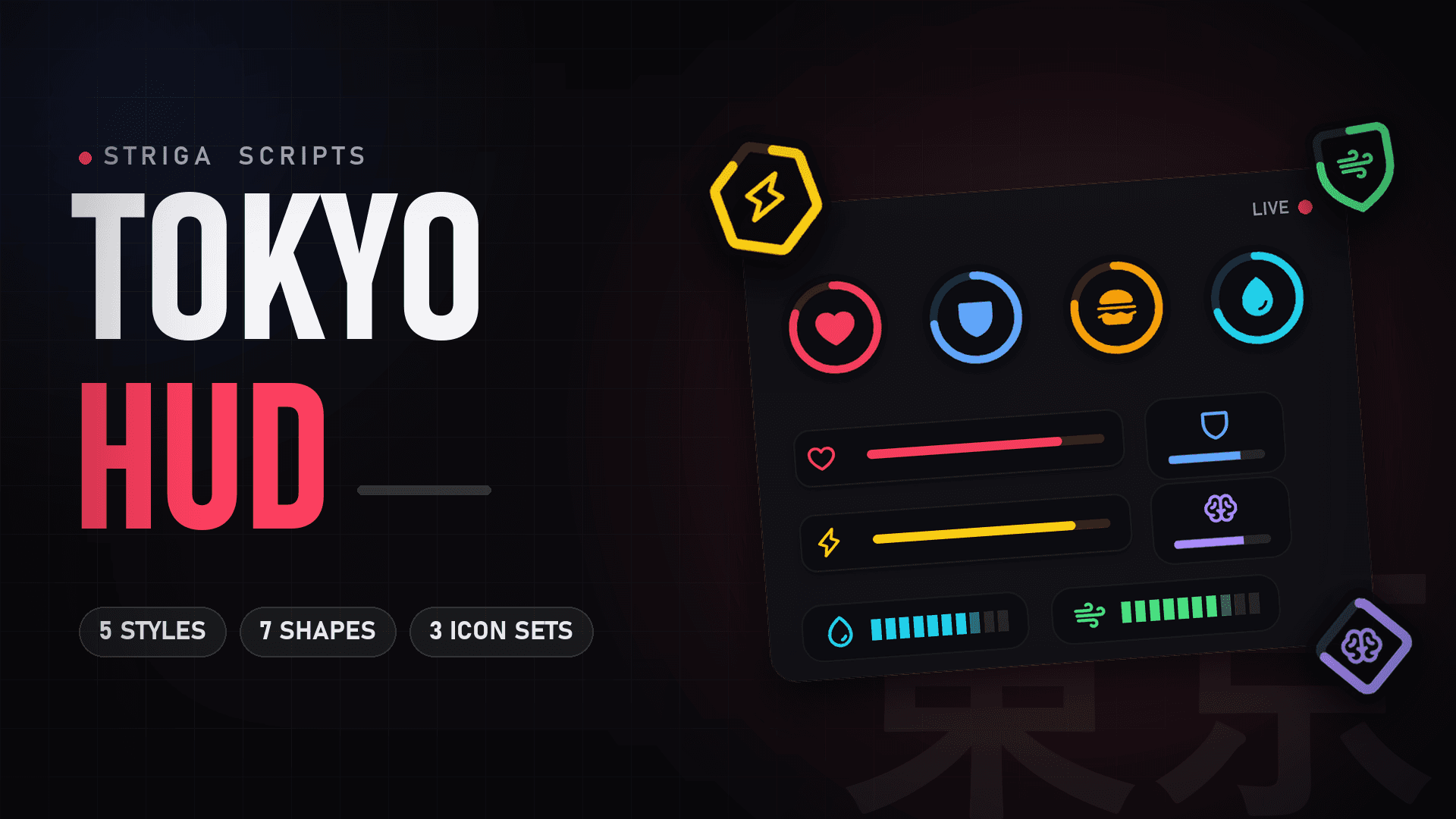
A modern, minimal and fully customizable status HUD for your FiveM server. Clean on screen, easy on the eyes and built to match any server style. 5 STYLES • 7 SHAPES • 3 ICON SETS • 2 COLOR TONES ◆ Display Styles Pick the look that fits your server. Every status can use any style. Ring – circular progress around the icon Fill – the icon background fills up like a liquid Bar – wide horizontal bars with icons Plate – compact tiles with a mini progress bar Segment – retro, block-style segmented bars ◆ Shapes Circle, Rounded, Squircle, Hexagon, Diamond, Octagon and Shield. Each shape is available in ring and fill variants. ◆ Icon Sets & Tones Outline, Filled and Duotone icon sets Vivid tone for bold, colorful HUDs Muted tone for a calm, cinematic look ◆ Tracked Statuses Voice – talking indicator Health Armor Hunger Thirst Stamina Oxygen Stress ◆ In-Game Customization (no config editing needed) Every player can make the HUD their own, right from the in-game menu. Per-component control – change the color, position, group, size, style, shape, gradient and flow of every status Panel colors – recolor all panels, including the minimap border Backgrounds – customize the background of the top-right panel, compass and street label On-foot & in-vehicle layouts – each player can set a separate HUD position for walking and driving ◆ Performance & Compatibility Optimized – 0.01 ~ 0.04 ms resmon Framework support – ESX, QBCore and QBox Easy installation – drag & drop and start Dependencies "None" ▶ Preview: Watch the showcase on YouTube 💬 Support: Join our Discord Made with care by Striga Scripts.

€29.99View →
Striga Chat

Striga Chat

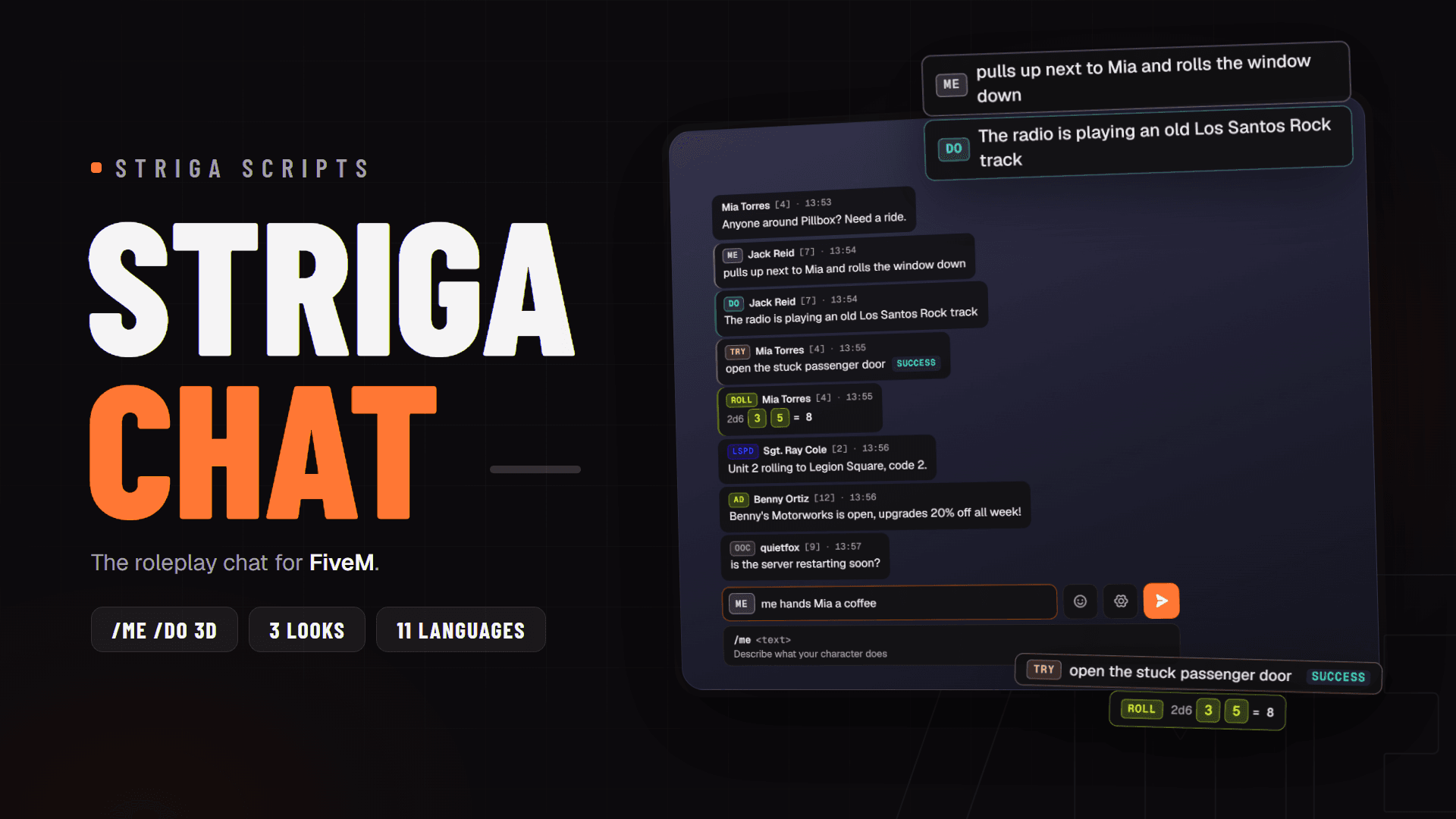
The roleplay chat for your FiveM server. A drop-in replacement for the default chat with /me /do over the player's head, channels, smart commands and per-player settings. Works with QBCore, Qbox, ESX and standalone. 3D /ME /DO • 3 LOOKS • 11 LANGUAGES • PLAYER SETTINGS ◆ Roleplay First /me, /do, /try, /roll – in chat and over the player's head in 3D Proximity based – one range for every RP command, head lines hide behind walls /try – success or fail, luck decides /roll 2d6 – dice with every face shown /looc, /ooc and /ad advertisements with an optional price and cooldown ◆ Smart Commands Suggestions with parameter help for every command the player is allowed to run No slash needed – type me waves and send Sent history with the arrow keys Quick buttons for ME, DO and ROLL Unknown command warning instead of silence ◆ Channels General, OOC, local, job, gang and ads as tabs with unread counters Turn each channel on or off, or add your own Prefer commands only? Turn channels off completely ◆ Player Settings (saved per player) 3 looks – Cards, Colored and Compact Any color – presets or a custom hex 9 screen spots to place the chat Text size, width, height, corners, opacity Toggles – time, input tag and head lines Emoji picker with recent emoji ◆ For Server Owners Drop-in – replaces the cfx chat, every chat event and export keeps working Chat log – optional MySQL log, history comes back after a restart Secure by design – server-side text cleaning, rate limits on every player action, sanitized HTML templates Tokyo HUD ready – follows the HUD theme and moves in the HUD editor 11 languages – EN, TR, DE, FR, ES, IT, NL, PL, PT, RU, AR Open source config and translations ◆ Performance & Compatibility Optimized – [RESMON VALUE] Frameworks – QBCore, Qbox, ESX and standalone Dependency – striga-core (oxmysql optional, for the chat log) ▶ Preview: Watch the showcase on YouTube 💬 Support: Join our Discord Made with care by Striga Scripts.

€14.99View →

How it fits

Built as one set.

One base
striga-core sits between every script and your framework: QBCore, Qbox, ESX or standalone.
One settings menu
The /hud menu of Tokyo HUD holds the player settings of every striga script that has them.
One theme color
The color a player picks is sent through striga-core to every striga script.
Open where it matters
Core logic is protected with FiveM Asset Escrow. Config and translation files in editable/ ship open.

Buying

How buying works.

Checkout by Tebex
Tebex Limited is the merchant of record and processes the payment.
Log in with Cfx.re
You log in with your Cfx.re account at checkout, so the script lands on the right account.
Delivered to Granted Assets
Download your scripts from the Cfx.re Portal under Assets > Granted Assets.
Free updates
Every update is free and appears in your Cfx.re Portal.

Find us

Where to find us.